A couple years ago, downloading a song from Soundcloud used to be pretty trivial. Their server would send you the complete 128kbps MP3, and then the local embedded control would allow you to seek at will. Because the file arrived in one large chunk, it was both easy to identify in cache, and easy to copy somewhere else to play back. Sometimes this still works… You’ll know by looking at the dev console, and see if it shows a huge MP3 file transfer. If so, you’re in luck! Copy it from the cache and you’re set.
Evidently they’ve changed this practice for other tunes, possibly to improve the latency of seeking at random in tracks, or possibly because they don’t want people getting music they shouldn’t be able to get. You can get Greasemonkey scripts which put the download button back, but these simply fire the URL off to an third-party site which “somehow” reconstructs the song and then sends it back your way. Very black-box magic stuff indeed.
However – If you can stream it, you can download it, as they say. Let’s take a look at how Soundcloud actually gets a song to you, and see if we can still figure out how to download something we may not really be allowed to.
Start the browser’s Developer Console and then browse to a song you want to hear. Keep an eye on the “network” activity, it will give you clues as to what is actually going on. As the song begins playing, you’ll see a lot of small network requests to magically named files:
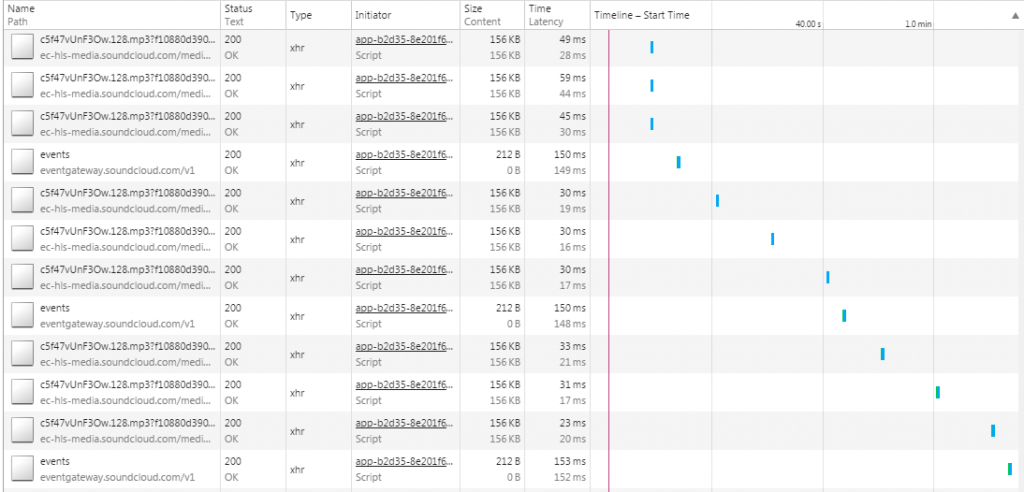
This seems promising. Download one or two and run “file” on it, and you get:
$ file *

c5f47vUnF3Ow.128.mp3?f10880d39085a94a0418a7e163b03d5226edfe2317e6aa1445547d76cf23a7ca5b08b0b9169eed2c0a13f681ab93c51d8e788dcaa887622ee2905d7463e4fd982e918b5b687caf75047026a3429731c5010a16: MPEG ADTS, layer III, v1, 128 kbps, 44.1 kHz, JntStereo

c5f47vUnF3Ow.128.mp3?f10880d39085a94a0418a7e167b03d5249919aaf544816306c9a5e3ca05a129454accfdda2750c51705ac2f68f036a37b2c482058312ab10625db87a6e3ab6dc1d1631dbd883a3f38786db484e66359daf667314eb8f03: MPEG ADTS, layer III, v1, 128 kbps, 44.1 kHz, JntStereo
Okay, so Soundcloud has broken the file into parts and is playing them back in sequence. You can pop one of these into your media player and listen to a portion of the song. We’re close, but how do we know where to find all these parts and put them together in order? Easy: there’s an m3u8 that has that for you – check the Dev Console again! Soundcloud’s player is using this to fetch the data in order from various URLs, and then stream it to you. For example, something like this:
#EXTM3U

#EXT-X-VERSION:3

#EXT-X-PLAYLIST-TYPE:VOD

#EXT-X-TARGETDURATION:10

#EXT-X-MEDIA-SEQUENCE:1

#EXTINF:1.985272,

https://ec-hls-media.soundcloud.com/media/0/31762/c5f47vUnF3Ow.128.mp3?f10880d39085a94a0418a7e163b03d5226edfe2317e6aa1445547d76cf23a6c6277ac4a31c0a01842ddc2964536e126c07aa07555cce1108baa06b42a8a56548b485330689f4477467fbe84e3701184db02ae8

#EXTINF:2.977908,

https://ec-hls-media.soundcloud.com/media/31763/79410/c5f47vUnF3Ow.128.mp3?f10880d39085a94a0418a7e167b03d5249919aaf544816306c9a5e3ca05a13988480bef0d85fac22fe42482ceefe72b45f93798b344c894177b5503fecfe001728ea53a521df650649905f1f820170622633f8408d974a

#EXTINF:4.989302,

https://ec-hls-media.soundcloud.com/media/79411/159240//c5f47vUnF3Ow.128.mp3?f10880d39085a94a0418a7e168b03d52f1af9dc5c031765e833721190ff39af5838b01fab4994aa8e1cbf7325eac7c17bbc32c9af8a4f995094f28154eaf2285d51dae2371e29d5df21535551f28bc9d3d6cdf11c7f30fd3

#EXTINF:9.978604,

https://ec-hls-media.soundcloud.com/media/159241/318900/c5f47vUnF3Ow.128.mp3?f10880d39085a94a0418a7e169b03d52a8b3c33b59894223455854e2f950e750c62859d445307c2908ba5ad3f2b1c73b802a1616248b94bd6c5babf25058d658ad1566709910633c2cd63c67371fbb6692e6db87e986a283f0

...

#EXTINF:9.978604,

https://ec-hls-media.soundcloud.com/media/3352449/3512109/c5f47vUnF3Ow.128.mp3?f10880d39085a94a0418a7e061b03d52eb7d518bdc510e28891131df942c66df2d11c65c5f6f65b400607098a9a36cb891691d16355d126d2ecbc6451bb48f82561d15b81d006b4104caff07fffa8361c42652b9341faefa8f4513

#EXTINF:5.642352,

https://ec-hls-media.soundcloud.com/media/3512110/3602388/c5f47vUnF3Ow.128.mp3?f10880d39085a94a0418a7e061b03d52eb7d518bdc510e28891131df942c66df2d11c65c5f6f65b400607098a9a36cb891691d16355d126d28cfc6401ebd8f8214c9a4dd73e90391e79897cc892a72bcd4883580fdef67b3cf0e33

#EXT-X-ENDLIST
An interesting aside, it seems these URLs time out after a short period of time, leading to 403 Forbidden errors if you try to access it again. No doubt these huge URL parameters point to some browser session or timestamp which becomes invalid after a while. If that happens, reload the page and start playing again to generate new files.
So to recap all this: we need to
- take the m3u8 file,
- retrieve each mp3 segment,
- and concatenate them together.
Getting the m3u8 programmatically is hard, so just copy it from the browser : ) And to put these together you’ll need mp3cat installed – see http://tomclegg.ca/mp3cat for info.
#!/usr/bin/env perl

open(FP,"playlist.m3u8") or die "can't open playlist: $!";
my $piece = 0;
while( < FP > )
{
chomp;
next if ($_ =~ m/^#/);
$filename = sprintf('outdir/%02s.mp3',$piece);
print `wget --no-check-certificate -O $filename $_`;
$piece++;
}
print `cat outdir/*.mp3 | mp3cat - - > output.mp3`;
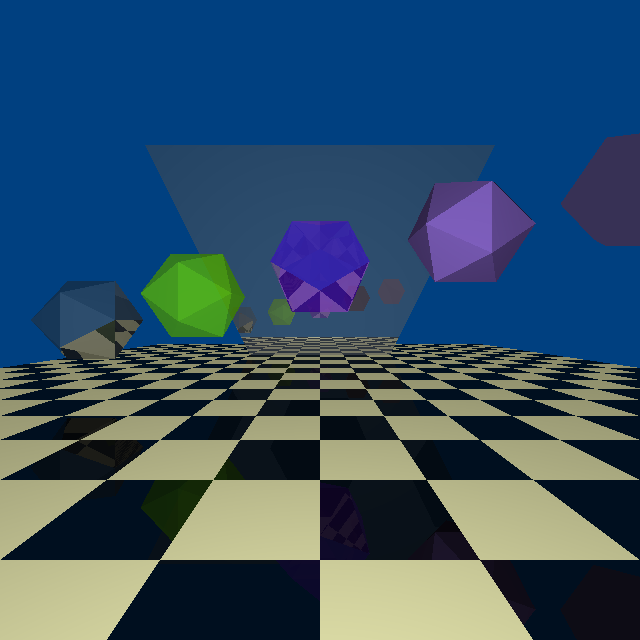 Every programmer worth his salt has written a raytracer of some sort. It’s one of the classic “recursion exercises”, with a fair amount of math to wrap your head around. I’m not interested in writing one to run on the PC – there are already far more capable ones that can run on pretty much any hardware, complete with optimizations and features I couldn’t hope to implement in my lifetime.
 I posted the code, and further write-up, on the Arduino.cc message board at this link: