Author Archives: admin

Radio with Friends

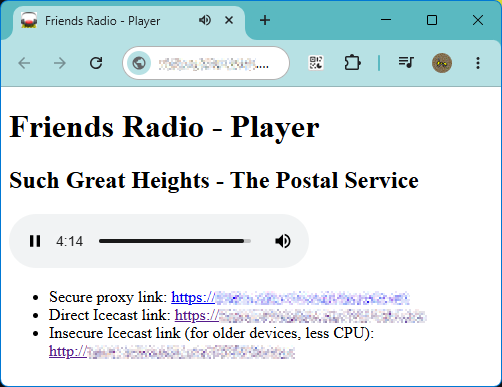
Friends Radio Player screenshot – now playing “Such Great Heights” (The Postal Service)

Some of my online friends have gotten into picking and ranking things – albums, movies, video games, etc – and most recently we held a “song draft”. Each participant took turns sending in a song until we had 100, then everyone went off and ranked them individually, and we compiled the results at the end of a couple weeks.

For a little side project, one of the players went and compiled all the tracks together into one eight-hour-long MP3 (complete with radio-style bumpers), and I then set up Icecast from my home network to just play it on a loop. It was a lot of fun to tune in with the other listeners simultaneously, commenting on tracks or laughing at the wild tonal swings between some of the picks.

The ranking is over (congrats to Stevie Wonder’s “Superstition”) but the fun of the radio led me to set up a new, standalone Internet Radio project. It broadcasts a continuous AAC stream on HTTP/HTTPS via Icecast, plus a set of management webpages using PHP for users to upload songs / view recent plays / update metadata. It also has one killer feature: users can supply a URL instead of a file, and the system will download and process using yt-dlp, making it trivial for even the non-technical to contribute more tracks. The entire thing runs at a couple watts using a Raspberry Pi 1B+ from 2014, with a single 128gb SD card, hooked up permanently to the router behind the family gaming PC.

A Rant About IPv6

I cannot recommend enough running a radio for your friends! Nothing in recent computer touching has brought me this much joy. You can bootstrap one from basically nothing, and everyone loves to listen to the same thing at the same time, or make other people listen to your best (and worst) musical tastes. It has been an incredible shared experience for us all.

Continue reading
Some Libretro Thoughts

Many years ago I set up a disused Pentium 4 desktop with Debian as an emulator console connected to our TV. The system served well enough – I played through all of Chrono Trigger on it, at least – but it has a particular problem, which is that the motherboard is saddled with the pathetic i740-based “Intel 3D Graphics” system from 2001.. At the time when 1024×768 was a high-end gaming resolution, this machine cannot even reach 60fps at 1920×1080 of an HD panel – certainly CPU scaling is a dead end, and in my testing even a “full screen quad” (one 1920×1080 textured 3d polygon, the “accelerated” way to do hardware scaling these days) doesn’t hit the full framerate.

Yet somehow, both Snes9x’s X11 mode and the DOSBox in “Overlay” render mode can manage it. The secret is the “Xv” or “XVideo extension”, where graphics chips enabled a specific route for sending YUV streams to the card, and custom hardware managed scaling to fill almost any screen size. This was, obviously, for video – especially DVD, which is already YUV format, the hardware offload from DVD directly into graphics card into full-screen presentation saved a lot of CPU cycles back in the day. But you could use it with anything producing a YUV format image, including games or applications: Snes9x supports it directly in the unix port, while DOSBox’s SDL1-based system uses functions that ultimately map to this feature.

I’d like to add more emulators to the system, but finding any that use this is a major challenge. Most don’t use X11 direct programming at all, instead depending on a framework like SDL or GTK to provide cross-platform support. And SDL 1.2 was superseded by SDL 2.0 in 2013: the former no longer receives maintenance and is heavily discouraged for new developments. SDL2 dropped support for YUV overlays, a relic of a bygone era before GPUs could easily manage the task. My options seemed to be:

  • Add code myself to each emulator to support Xv functions (nightmare)
  • Replace the computer with something newer (but why? it’s close to working as is…)

A third option occurred to me though: many emulators also can be built as a “RetroArch core”, which means the emulation guts are contained in a library, and the I/O is supposed to be handled by the “frontend” application instead. The interface between these is something called “Libretro”. Since the emulators communicate in a standardized way, and I supply the video output, could I write a “frontend” that uses legacy SDL1 and displays the frames with its YUV overlay support?

Continue reading

Static Recompilation of CHIP-8 Programs

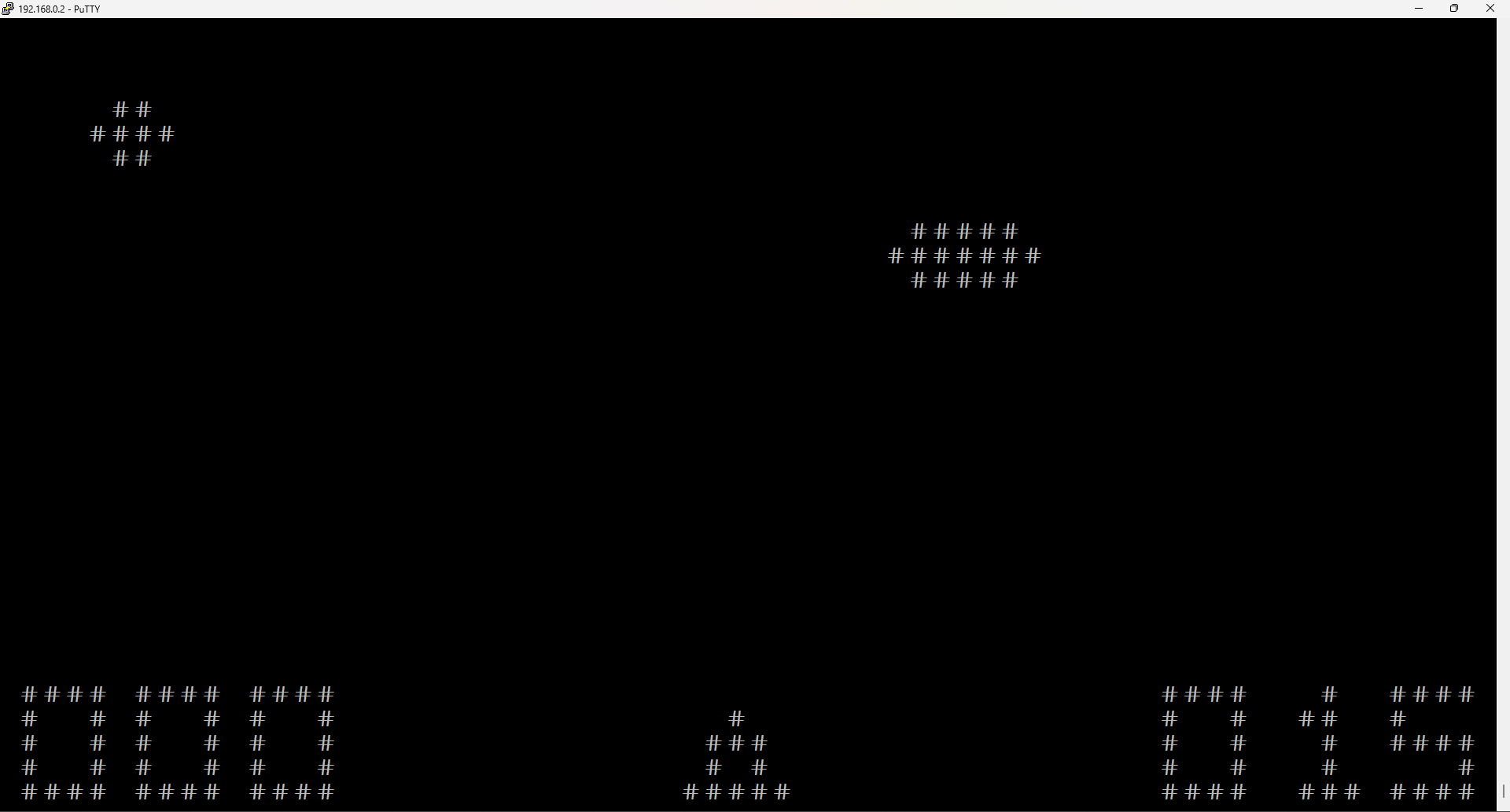
Screenshot of “UFO.ch8” running natively in a terminal

Static Recompliation” is the process of turning a binary program built for one instruction set and CPU into equivalent native code for a different architecture. It’s a hot topic lately as news of a static recompilation process for N64 games – turning the original MIPS code into x86 executables for Windows – seemingly promises an entirely new level of features and performance beyond existing emulation techniques. I’ve been interested in the topic since hearing of the StarCraft on ARM recompilation for OpenPandora in 2014, but not looked too much further into the idea until recently. I decided to try my own hand at a static recompiler, where I would be transforming some machine ROM into C source code, then compile that to produce native executables.

First, I’d need a source system to use: The CHIP-8 VM, often considered a good “baby’s first emulator” project. It is an interpreted 8-bit machine, with only 30 opcodes or so, limited graphics and sound capabilities and a lot of tooling available. I began by spending a couple of days implementing the machine in C as a plain “interpreted” emulator, using libcurses to handle keyboard input and display visuals on the terminal. This was useful for getting a feel for the machine, learning about quirks and addressing modes, as well as a benchmarking test. Some of the routines for interfacing the VM with the real hardware (e.g. “print screen”, “check keypress” etc) are theoretically reusable in a recompiled version as well. CHIP-8 emulation is a well-studied topic, I won’t say much more about it here.

With that complete, I turned my attention to the recompilation. If you’d like to see the code I wrote, I’ve placed it in GitHub here:

https://github.com/greg-kennedy/CURSE-8

Inside are the interpreter, and a Perl script “recompile.pl” which turns a .ch8 file into a .c. Compiling this along with “wrapper.c” and linking to libcurses should give a runnable executable of the chip8 program.

Details of approaches to static recompilation follow.

Continue reading

Scrabble CD-ROM Word Lists

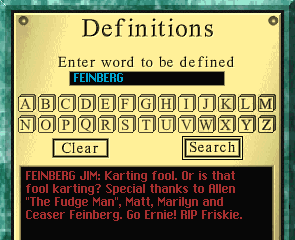
Screenshot of Scrabble 1.0 showing an easter egg: searching the dictionary for "FEINBERG" which returns the text "FEINBERG JIM: Karting fool. Or is that fool karting? Special thanks to Allen "The Fudge Man", Matt, Marilyn and Ceaser Feinberg. Go Ernie! RIP Friskie.

Hasbro’s Em@il Games Scrabble does not come with a dictionary. Instead, checking words for validity is done by the server, and only when a player challenges a play. This was probably for a few reasons – reducing the client download size, allowing Hasbro to update it as needed, and as a safeguard to keep the word list out of public circulation.

This means I need to provide my own dictionary for Hasbro PBEM Proxy to support the game. It seemed a simple enough problem: just get a word list from somewhere, and hook it up. But which one? I started by using CSW21, the latest (at the time) list of competitively accepted words. Yet this bothered me as it seems anachronistic: the game released on Feb. 5, 1999, so shouldn’t the word list be equally contemporary?

Thus begins another great (and probably foolish) journey into software archaeology. “What dictionary were people using in 1999?” turns out to be a complicated question, due to the fact that different lists were used for casual vs tournament play, US vs UK, short vs long words, etc. and unification of these was not really a priority at the time. Plus, some of the word lists remain unavailable unless you were a paying member of NASPA or another Scrabble professional organization. Besides, even if I had the word lists, is there any certainty that those were the ones backing the Em@il Games service?

I decided to try a different approach. Presumably, Hasbro had provided the dictionary to the developers that they wanted to be used. It makes sense that they would use the same dictionary in other branded Scrabble products at the time. In 1996 Random Games and Hasbro released a version of Scrabble on CD-ROM, helmed by lead developer Brian Sheppard (who had independently created a top performing shareware Scrabble AI called “Maven” two years before, and been hired by Hasbro to run this project — after discontinuing his own version, of course!) Three years later, “Scrabble Version 2.0” came out, with a complete redesign of the UI and a higher resolution gameplay. This version did not run well on Windows XP, so in 2002 Hasbro released “Scrabble Complete”, a slight rebuild of 2.0 with XP support and a few new background images.

As these products neatly bracket the release of Em@il Games Scrabble, I sought to get the word lists from each, and see how they stacked up to dictionaries in use.

Continue reading

University of Arkansas Game Development Club

UAGDC logo

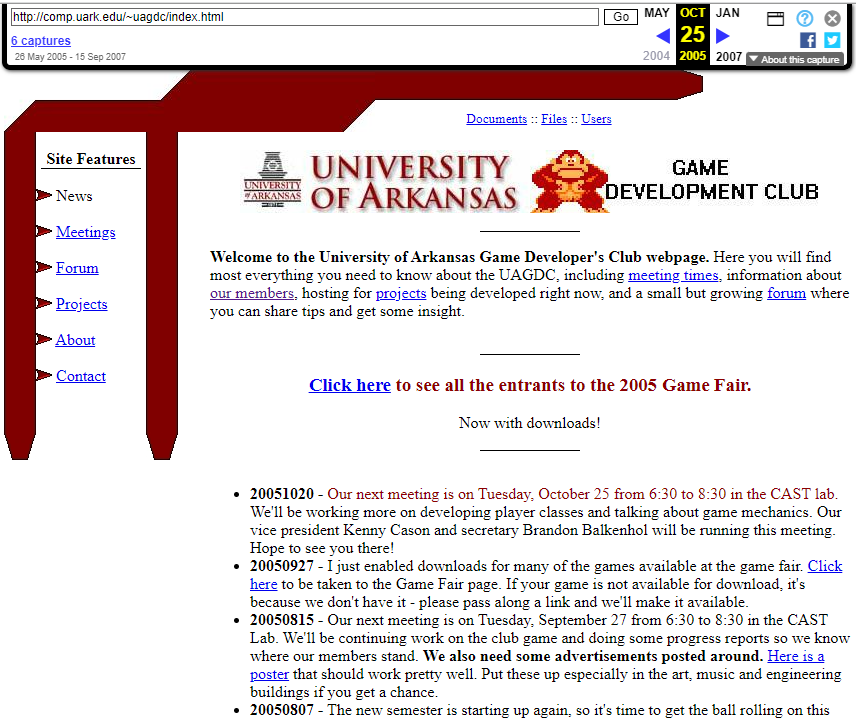
Some years ago I posted about my half-baked MMORPG idea, “GregerQuest”, and mentioned towards the end that I later worked on another hobby MMO called Draconis. This was a project of the long-deceased University of Arkansas Game Development Club – a student-run organization for people interested in making games. I put a thread on Twitter about my experiences with the club, but I’ve decided to repost it here as well for later reference.

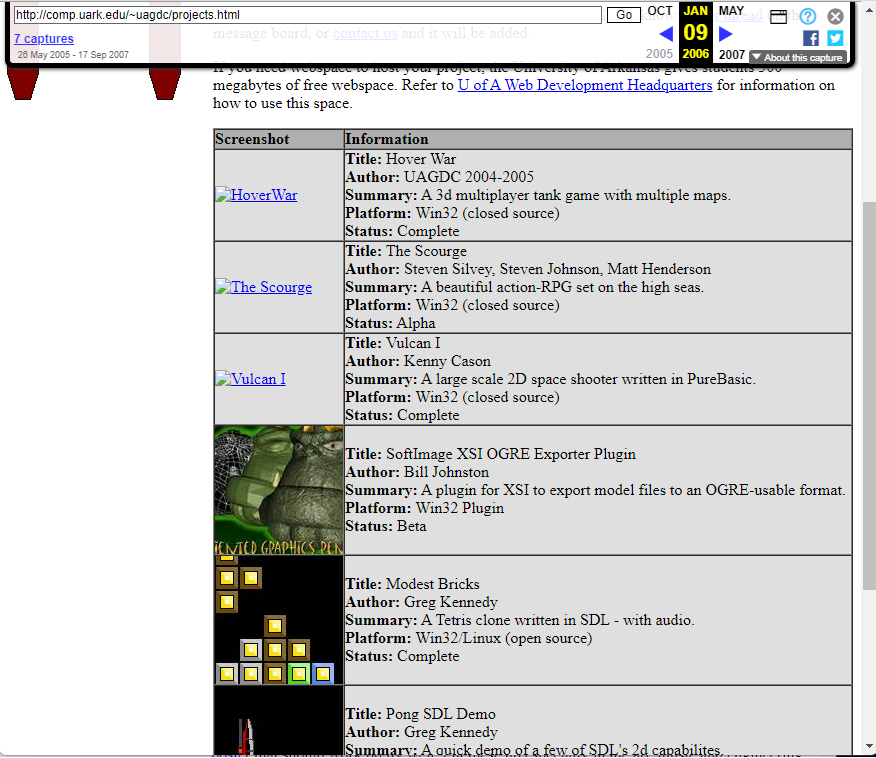
From 2004 to 2006 I helped run the University of Arkansas Game Dev Club with co-founders Steven Silvey and Kenny Cason, and faculty sponsor Bill Johnston. It continued on until ~2008 or so, after many of us graduated and membership dwindled away. Here was what our webpage looked like. Project hosting and the forums were popular areas. Web space was provided by the UARK servers – 100mb for a club, iirc, a luxury! – and the first web design was table-based and constructed using MS Paint by yours truly 🙂

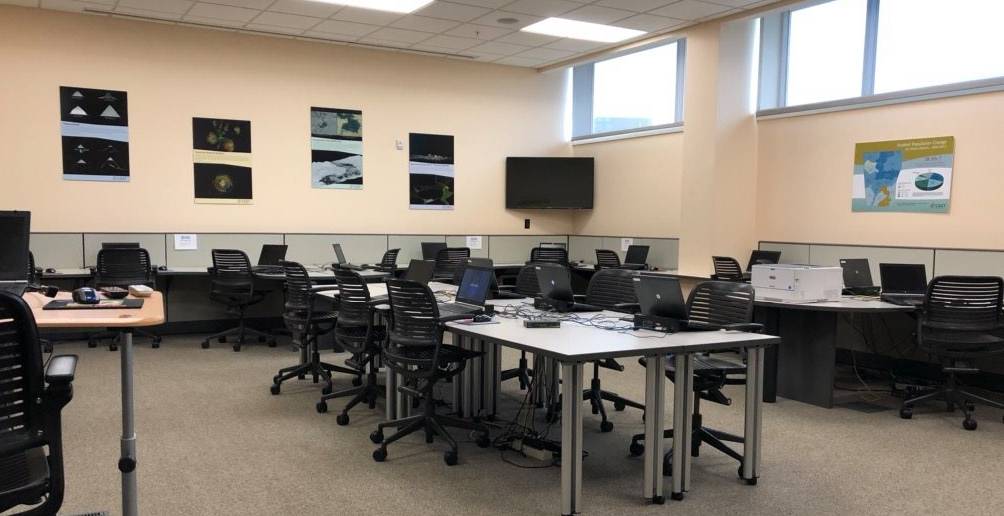
Meetings were held in the CAST computer lab in Ozark Hall, normally used for people doing “real” 3d modeling and geospatial / GIS mapping stuff. But they had a projector and some nice computers and so every 2 weeks in the evening we’d run a meeting, usually a couple hours long. The first meeting attracted several dozens of people, mostly due to us footing the bill at U.S. Pizza, but there were maybe 8-10 regulars who showed up in the later sessions even when there was no free food offered.

Photo of the CAST lab – though more recent, as the projector and old Dell Optiplex + CRT monitors are gone

The first part was student-led presentations of a game dev topic: IDEs, frameworks like SDL and Allegro, some discussion of modeling with SoftImage, etc. I recall Steven showing some tricks for making better programmer art, and composing MIDI files using a simple DAW-type app. I may have demoed booting Gamecube homebrew using the PSO exploit. We even had a quaternions lecture… which, of course, I remember nothing about. The rest of the evening was used for collaborative time for projects.

Continue reading