Some of my online friends have gotten into picking and ranking things – albums, movies, video games, etc – and most recently we held a “song draft”. Each participant took turns sending in a song until we had 100, then everyone went off and ranked them individually, and we compiled the results at the end of a couple weeks.
For a little side project, one of the players went and compiled all the tracks together into one eight-hour-long MP3 (complete with radio-style bumpers), and I then set up Icecast from my home network to just play it on a loop. It was a lot of fun to tune in with the other listeners simultaneously, commenting on tracks or laughing at the wild tonal swings between some of the picks.
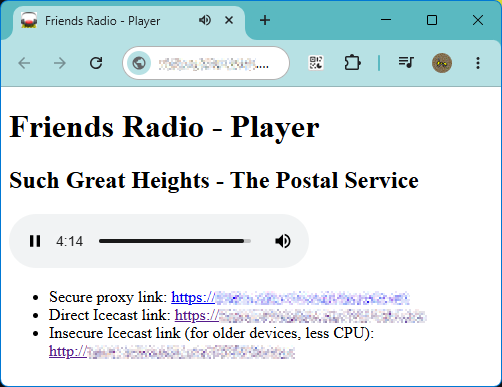
The ranking is over (congrats to Stevie Wonder’s “Superstition”) but the fun of the radio led me to set up a new, standalone Internet Radio project. It broadcasts a continuous AAC stream on HTTP/HTTPS via Icecast, plus a set of management webpages using PHP for users to upload songs / view recent plays / update metadata. It also has one killer feature: users can supply a URL instead of a file, and the system will download and process using yt-dlp, making it trivial for even the non-technical to contribute more tracks. The entire thing runs at a couple watts using a Raspberry Pi 1B+ from 2014, with a single 128gb SD card, hooked up permanently to the router behind the family gaming PC.
A Rant About IPv6
I cannot recommend enough running a radio for your friends! Nothing in recent computer touching has brought me this much joy. You can bootstrap one from basically nothing, and everyone loves to listen to the same thing at the same time, or make other people listen to your best (and worst) musical tastes. It has been an incredible shared experience for us all.
However, I am also fortunate that I can self-host this using a bit of spare bandwidth from my regular residential ISP, and the biggest hindrance to other people being able to do the same (in many cases) is because they don’t have their own routable IP address. Carrier-grade NAT, a tremendous hack originally used to let mobile phones get on the internet, has trickled down into even expensive ISP fixed-lines. I was behind just such a system on fiber internet for a while and didn’t get my own IP until I called and asked for one.
It’s downright depressing that IPv6 adoption still isn’t everywhere by now. The dream of distributed self-hosting is being able to do exactly this: plug a trashed laptop into the router and use it to host a Minecraft server, or a tiny blog, or a forum, or a file server, etc. But because of inertia around IPv4 we end up with an incredible abundance of computing power and bandwidth, yet everyone’s locked out of being able to put it to use. The workarounds are ridiculous – pay extra to the ISP for a public fixed IP? Rent a server whose sole purpose is to have an IP and relay through it?? Or, of course, “just host it in the cloud” and you’re beholden to mega corporations (who, incidentally, have enough addresses to go around).
All of this sadly might take the project out of the realm of “screwing around for fun” or “repurposing e-waste” or “learning a skill”. So many IT people cut their teeth learning to manage a video game server or BBS at home on a hand-me-down machine. That is increasingly difficult to do. My last two ISPs have not supported IPv6, due to confounding effects and reasons, all of which I don’t care about! Just make it happen already!
Design
Early on I set an “interesting” engineering constraint on myself: I wanted the entire radio to be hosted on a single Raspberry Pi 1B+. I have a few of these sitting around in drawers, as many of you surely do, and I’d like to put one to use for this. There’s a tendency to just buy more hardware when hitting a performance bottleneck, but I enjoy the challenge of fitting the system to the budget and reusing something I already have.
The Pi 1B+ is quite outdated, with a 700mhz 32-bit processor and 512gb of RAM. This ruled out a lot of options: Liquidsoap to define the streaming flow is far too heavy, Python for the web service is also much too slow, and Docker for management is unthinkable. Think more like the early-mid 2000s: something like a LAMP stack on bare metal.
I was able to find a nice balance that fits everything neatly, because it turns out that while streaming pre-processed audio has hard deadlines, it doesn’t actually require much resources: just 5-10% CPU and a little RAM is enough to host a dozen clients. You must, of course, pre-process the audio – a very CPU heavy task! – but that can be done on idle cycles, since there’s no deadline. So, anything that’s uploaded goes into a processing queue, which is checked every minute or so for new work, and then transcoded into the radio-ready format. The originals are discarded to save space. This is an intentional design choice, but it does come with drawbacks – transcoding on-the-fly would let me make changes to things like ReplayGain target, bitrate, format, etc. whereas baking everything first locks in my settings, and I can’t change it further without degrading quality (and a big one-time transcoding job of everything). Fortunately, I’m happy with where things are now, and don’t foresee a reason to change it in the future. Fingers crossed.
Streaming
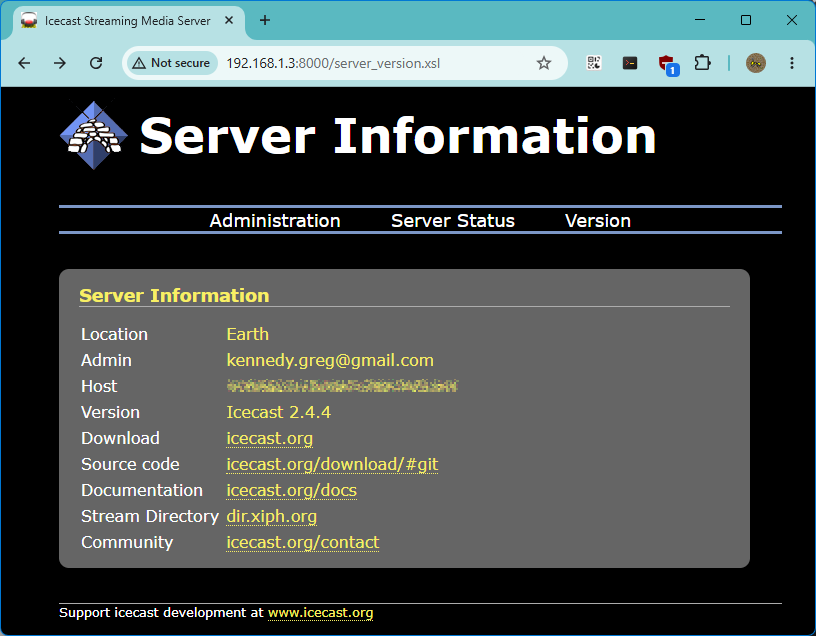
Streaming is handled by Icecast. This is a well-known and mature streaming server. ICY / Shoutcast has lost some ground in recent years to HLS or DASH, but it’s also supported by basically everything, and I’m familiar with it already. It is basically a special purpose web server, which feeds synchronous audio to every connected user at once, using some kind of shared rolling buffer and dropping anyone who falls too far behind. The stock version comes with a systemd startup script and is configured by XML – the defaults work pretty good, but change the admin and source password unless you want to get hacked! I did also set the hostname, stream metadata (name, description, bitrate, url, etc), increase the max-listener duration to 8 hours, and mark the stream as “hidden” – which prevents it from showing in the server status, so the public doesn’t find it.
Icecast has some ability to do login with username/password, and check an external source for authentication – useful if you want to e.g. write a hook to make someone login via a webapp before hearing it – but I’m relying on just not publishing the actual name anywhere 🙂
Also, Icecast supports SSL if you provide a combined public + private cert (unusual, lets-encrypt gives them separately) and while I do have it on, nobody actually uses it: many of the listeners had trouble with the SSL version cutting out after 2 seconds of playtime. There is a workaround (discussed below) that everyone uses instead.
Source Client
Icecast supports multiple “source” connections, called “mounts”, and can rebroadcast from those sources to any number or combination of listeners. This is useful if you want to e.g. provide multiple different bitrates, or rebroadcast a bunch of sources off one high-bandwidth relay. It’s even possible to move listeners from one stream to another with the admin tools, say if one of the sites is going offline and you don’t want to drop everyone. But in all cases you need a “source” to connect first and provide the data that’s going to be then rebroadcast to listeners.
There are many options out there including the “official” stock ones from Xiph – for a long time this was ices (ices0 for MP3 streams, ices2 for OGG [vorbis, opus]) and the new stock client is ezstream (all of the above). These are very nice and support things like sending metadata, playing one file on repeat, or a playlist (straight or shuffled), piped stdin audio, or even triggering an external script to provide a filename when it’s time to queue the next thing. They’ll also transcode to the desired output format if your library is a mix of stuff. Unfortunately, neither ices nor ezstream support AAC for ideological reasons. I was dead set on AAC: it’s better than MP3, roughly equal to Opus at high enough bitrates (Opus’ real advantages are low-latency and high quality at sub-32kbps speech), and supported everywhere in cars, old devices, phones, etc (Opus is not).
That said, icecast WILL accept and rebroadcast an AAC stream in an ADTS wrapper (not mp4), unmodified, if you can find a source client that will send it. And, it turns out, ffmpeg can do this! So once icecast2 is running, you can send it a file to play back with a command like:
ffmpeg -re -i input.aac -c:a copy -content_type audio/aac -f adts icecast://source:<password>@localhost:8000/stream.aacand it should appear in the Icecast status / be playable in a web browser or client. At least, until the song’s over.
Streamer Service
So, now, I need to keep the source client fed with a continuous stream of audio. For this I ended up writing a PHP CLI script and use it with a systemd service unit to keep active. It opens a fifo (pipe) to ffmpeg, then repeatedly selects a new track from the database, and passes it to the running background ffmpeg app.
#!/usr/bin/php
<?php

// config
$MYSQL_USER = 'radio';
$MYSQL_PASSWORD = '<mysql_password>';
$SOURCE_PASSWORD = '<source_password>';
$MOUNT = '/stream.aac';

// How often, in seconds, to play a bumper instead of a song
$BUMPER_FREQ = 60 * 15;

// Background source service for radio.
//  Feeds .aac into the named pipe, where it is consumed by ffmpeg
//  and also triggers metadata updates as needed.
echo "Starting source.\n";

// register signal handlers
$done = 0;

function sig_handler(int $signal) {
  global $done;
  switch ($signal) {
    case SIGINT:
    case SIGTERM:
      echo "Received INT / TERM signal, exiting...\n";
      $done = 1;
      // restore default
      pcntl_signal($signal, SIG_DFL);
      break;
  }
}

echo "Registering signal handler.\n";
pcntl_async_signals(true);
pcntl_signal(SIGINT, "sig_handler");
pcntl_signal(SIGTERM, "sig_handler");

// set up connections and canned statements
echo "Connecting to MySQL.\n";
$mysqli = new mysqli('localhost', $MYSQL_USER, $MYSQL_PASSWORD, 'radio');

// Prepare the SQL with placeholders
$stmt_query = $mysqli->prepare("SELECT t.id, t.path, t.artist, t.title FROM tracks t LEFT OUTER JOIN (SELECT track, COUNT(*) weight, MAX(create_date) last_play_time FROM playlist GROUP BY track) p ON t.id = p.track WHERE t.status = 'A' AND t.type = ? AND TIMESTAMPDIFF(HOUR, COALESCE(p.last_play_time, TIMESTAMP(0)), NOW()) > 5 ORDER BY LN(1 - RAND()) / COALESCE(p.weight + 1, 1) ASC LIMIT 1");
$stmt_insert = $mysqli->prepare("INSERT INTO playlist(track) VALUES (?)");

// FORK streamer
echo "Forking ffmpeg.\n";
$descriptor = array(
    0 => array("pipe", "rb"), // pipe for stdin of child
    // 1 => array("pipe", "w"), // pipe for stdout of child // do not care about ffmpeg's stdout
);
$process = proc_open([
  '/usr/bin/ffmpeg',
  '-loglevel', 'error', '-hide_banner', '-nostats',
  '-bitexact',
  '-re', '-analyzeduration', '0', '-probesize', '32',
  '-f', 'aac', '-i', 'pipe:0',
  '-vn', '-c:a', 'copy',
  '-map_metadata', '-1', '-flags', '+bitexact', '-fflags', '+bitexact',
  '-content_type', 'audio/aac', '-f', 'adts',
  'icecast://source:' . $SOURCE_PASSWORD . '@localhost:8000' . $MOUNT
], $descriptor, $pipes);

if (! is_resource($process)) {
  echo "error in starting ffmpeg subprocess";
  exit(1);
}

// repeatedly feed pipe with tracks
$last_bumper = 0;
while (! $done) {
  // time for a bumper?
  $time = time();
  if ($last_bumper + $BUMPER_FREQ <= $time) {
    $last_bumper = $time;
    $type = 'B';
  } else {
    $type = 'S';
  }

  // pick something
  echo "Getting track of type '$type': ";
  $stmt_query->execute([$type]);
  $result = $stmt_query->get_result();
  $t = $result->fetch_row();
  $result->close();

  if ($t === null) {
    echo "No tracks available of type $type, sleeping a bit.";
    sleep(10);
  } else {
    echo "Playing $t[1] ($t[2] - $t[3])\n";

    $stmt_insert->execute([$t[0]]);
    //$last_id[$type] = $t[0];

    // fire GET request to update Icecast metadata
    file_get_contents('http://source:' . $SOURCE_PASSWORD . '@localhost:8000/admin/metadata?' . http_build_query([
      'mount' => $MOUNT,
      'mode' => 'updinfo',
      'artist' => $t[2],
      'title' => ($type === 'B' ? '[Bumper] ' : '') . $t[3]
    ], "", null, PHP_QUERY_RFC3986));

    // read file off disk and push into pipe
    $buf = file_get_contents($t[1]);
    if ($buf !== false) {
      if (fwrite($pipes[0], $buf) === false) $done = 1;
    }
  }
}

fclose($pipes[0]);
exit(proc_close($process));

?>
Some explanation: There is expected to be a Mysql table called “tracks” with a type (“S”ong or “B”umper) / metadata / path on disk, and another table called “playlist” with track ID and play time. The $stmt_query prepared statement is quite nasty and people should experiment with it – the idea is to choose the next song by weighted random sampling with reservoir, where more frequently played tracks are less likely to be picked. However, real-world testing led to led to using sqrt(play_count), because what tended to happen is that older songs have a lot of plays, and new uploads don’t, so any new uploads would just play 5 times in a row. And then when sqrt(play_count) didn’t provide enough smoothing, I added an even more blunt fix: nothing can play if it’s been played in the last six hours. Now, new uploads still trigger 4x a day, but there’s plenty of space between them that it isn’t annoying.
Random selection of tracks is probably the most contentious issue that listeners debate (along with “how often should a bumper play”), but I’ve resisted doing things to fix it further like adding a rating system or genre tags etc. It seems to hum along well enough with the current picker. We all love DJ Rand() here.
Icecast doesn’t support in-band metadata for AAC, so there is a separate GET request fired on every track change that will update the title + artist for connected listeners.
I’m actually not 100% happy with this setup: using all of ffmpeg just to push data to the service feels heavy, and the writes to pipe should really be chunked on ADTS boundaries – ffmpeg will complain if interrupted mid-frame, making it impossible to do something like add SIGHUP to skip track. Also, if the query takes too long, Icecast might drop the client. Some day I might write a standalone aac-source in C or something, but this is OK for now.
Transcoder
Now that I can stream any pre-processed .aac file I’ll need some .aac files ready to go! So I have another PHP CLI script + systemd service to handle incoming tracks.
#!/usr/bin/php
<?php

// config
$TEMP_PATH = '/var/www/temp';
$MYSQL_USER = 'radio';
$MYSQL_PASSWORD = '<mysql_password>';

// Background transcode service for radio.
//  Monitors MySQL table for incoming tracks,
//  triggers a transcode when one is available.
echo "Starting transcoder.\n";

// set up connections and canned statements
$mysqli = new mysqli('localhost', $MYSQL_USER, $MYSQL_PASSWORD, 'radio');

// Prepare the SQL with placeholders
$stmt_query = $mysqli->prepare("SELECT id, status, path FROM tracks WHERE status IN ('Y', 'U') ORDER BY id");
$stmt_update = $mysqli->prepare("UPDATE tracks SET status = ? WHERE id = ?");
$stmt_duration = $mysqli->prepare("UPDATE tracks SET duration = ? WHERE id = ?");
$stmt_update_path = $mysqli->prepare("UPDATE tracks SET status = ?, path = ? WHERE id = ?");

// paths
$TEMP_WAV = $TEMP_PATH . '/temp.wav';

while (true) {
  // check for next available work
  $stmt_query->execute();
  $result = $stmt_query->get_result();
  $work = $result->fetch_all(MYSQLI_NUM);
  $result->close();

  foreach ($work as $t) {
    echo "Processing id=" . $t[0] . ", status=" . $t[1] . "\n";

    // URL needing download first
    if ($t[1] === 'Y') {
      echo "Downloading from " . $t[2] . "\n";

      $output=null;
      $retval=null;

      $command = join(' ', [
        '/var/www/venv/bin/yt-dlp',
        '--js-runtimes', 'node',
        '-f', 'bestaudio/best',
        '--no-playlist',
        '--print', 'after_move:filepath',
        '-o', escapeshellarg('/var/www/uploads/dl-' . $t[0] . '.%(ext)s'),
        escapeshellarg($t[2])
      ]);
      exec($command, $output, $retval);

      if ($retval != 0) {
        // error in downloading file
        echo "yt-dlp error: $retval\n";
        $stmt_update->execute(['X', $t[0]]);
        continue;
      }

      // downloaded OK - update path and status to 'U', then continue processing
      $t[2] = $output[0];
      $stmt_update_path->execute(['U', $t[2], $t[0]]);
    }

    echo "Processing '" . $t[2] . "'\n";

    // attempt transcode
    $output=null;
    $retval=null;

    // Dump file as .wav to /tmp
    $command = join(' ', [
      '/usr/bin/ffmpeg',
      '-loglevel', 'error', '-hide_banner', '-nostats',
      '-bitexact',
      '-i', escapeshellarg($t[2]),
      '-vn',
      '-ac', '2',
      '-ar', '44100',
      '-acodec', 'pcm_s16le',
      '-map_metadata', '-1', '-flags', '+bitexact', '-fflags', '+bitexact',
      '-f', 's16le', 'pipe:1',
      '|',
      '/var/www/wavwriter',
      $TEMP_WAV
    ]);
    exec($command, $output, $retval);

    if ($retval != 0) {
      // error in decoding file to .wav - bad format, damaged etc
      echo "Pass 1 error: $retval\n";
      $stmt_update->execute(['X', $t[2]]);
    } else {
      // figure duration from output line
      $duration = (filesize($TEMP_WAV) - 44) / (4 * 44100);
      echo "Duration: $duration seconds\n";
      $stmt_duration->execute([$duration, $t[0]]);
      if ($duration < 1) {
        // Duration too short, kill upload
        echo "Killing upload due to duration $duration less than 1 second\n";
        $stmt_update->execute(['X', $t[0]]);
      } else {
        // measure loudness with rsgain
        unset($output);
        $command = join(' ', [
          '/usr/bin/rsgain',
          'custom',
          '-q', '-O',
          $TEMP_WAV
        ]);
        exec($command, $output, $retval);

        if ($retval != 0) {
          // error in measuring loudness (decode problem)
          echo "rsgain error: $retval\n";
          $stmt_update->execute(['X', $t[0]]);
        } else {
          // retrieve gain from TSV output
          $gain = explode("\t", $output[1]);

          // do transcode!
          unset($output);
          $command = join(' ', [
            '/usr/local/bin/aac-enc',
            '-a', '1',
            '-v', '5',
            '-g', escapeshellarg($gain[2]),
            $TEMP_WAV, escapeshellarg('./tracks/' . $t[0] . '.aac'),
          ]);
          exec($command, $output, $retval);

          if ($retval != 0) {
            $stmt_update->execute(['X', $t[0]]);
            echo "Encode error: $retval\n";
          } else {
            $stmt_update_path->execute(['A', 'tracks/' . $t[0] . '.aac', $t[0]]);
            echo "Done\n";
          }
        }
      }
    }

    // clean up the source file
    unlink($TEMP_PATH . '/temp.wav');
    unlink($t[2]);
  }

  // sleep 15 seconds to await more work
  sleep(15);
}

?>
This is more complex than the streamer and has some more moving parts:
- New uploads go to the “tracks” table in MySQL, with a status of “U”ploaded or “Y”outube (requires downloading). As tracks are processed, they receive an “A”ctive if successful, or if a failure occurs, an “X” to prevent them from playing / alert the admin or user to check on it.
- ffmpeg is used to decode basically everything to .wav. It’s really, really good at decoding anything thrown at it – mp3, flac, music videos, it probably would do MIDI if I tried. ffmpeg turns everything into a 2-channel, 16-bit, 44.1khz raw stream regardless of what comes in.
- I also wanted silence trimming from start and end, but unfortunately ffmpeg filters do not offer an easy way to do this: it can get the beginning silence but not the trailing, and the workaround of reversing the audio + trimming the “start” + reversing again is incredibly slow. Instead, the raw file goes to a custom tool I wrote called “wavwriter” which simply trims the silence and outputs a plain .wav file. It’s very fast as it is a simple pass-through.
- Next, for standardizing audio volume, rsgain (“Really Simple Gain”) scans the .wav and outputs a “gain” value for the ReplayGain 2.0 standard. rsgain is usually used to write gain tags to files, but .wav doesn’t have tags, and further I want the volume “baked in” to the audio.
- To make an AAC file out of the wave, I have compiled a version of Fraunhofer’s fdk-aac which comes with a test “aac-enc” frontend. fdk-aac is the gold standard encoder – better quality than ffmpeg’s – it outputs directly to ADTS, AND it’s all fixed-point and much much faster than using ffmpeg to encode. Everything I need, except the audio gain change. Well, since I’m working from the source anyway, I added a gain parameter! (In the future I might just do a similar wavwriter type tool for modifying audio gain in a pipeline, so I don’t have to maintain this – but then, aac-enc hasn’t changed in 5 years, so maybe the maintenance burden is minimal)
28a29,30
> #include <math.h>
> #include <limits.h>
33c35
<       fprintf(stderr, "%s [-r bitrate] [-t aot] [-a afterburner] [-s sbr] [-v vbr] in.wav out.aac\n", name);
---
>       fprintf(stderr, "%s [-r bitrate] [-t aot] [-a afterburner] [-s sbr] [-v vbr] [-g gain] in.wav out.aac\n", name);
55a58
>       double gain = 1.0;
59c62
<       while ((ch = getopt(argc, argv, "r:t:a:s:v:")) != -1) {
---
>       while ((ch = getopt(argc, argv, "r:t:a:s:v:g:")) != -1) {
75a79,81
>               case 'g':
>                       gain = pow(10, strtod(optarg, NULL) / 20);
>                       break;
197a204,209
>                       if (gain != 1.0) {
>                               double result = gain * convert_buf[i];
>                               convert_buf[i] = (result < SHRT_MIN ? SHRT_MIN :
>                                                       result > SHRT_MAX ? SHRT_MAX :
>                                                       result);
>                       }
If there’s nothing to be done, the transcoder goes to sleep for 15 seconds, then checks the table again for more work.
Transcoding a song seems to take anywhere from 0.5x to 2x real-time, for entire decode -> analyze -> encode steps. Which isn’t bad, and only needs to be done once, after which the raw .aac just sits in the tracks/ folder ready for streaming.
Youtube Download
I added a special section for the Youtube downloading because it’s a bit more finicky. Everything else in this is generally provided by the Debian package manager and just requires config file editing. However, yt-dlp is a fast-changing piece of software, and the Debian repository doesn’t keep the latest version around on every change. Instead, there’s a Python 3 .venv where I installed and keep updated from pip. There’s an additional wrinkle which is that Youtube now requires a Javascript-based challenge to access content, and so we need a Javascript runtime to answer the challenge. Installation instructions are available on the yt-dlp page: briefly, make sure to install ALL the dependencies (pip install -U "yt-dlp[default]") and then you need a JS runtime.
The only JS runtime that still supports 32-bit hosts is Node – and here is another problem – they have not produced an armv6 version since Node v20, but yt-dlp wants v22. Thanks to Github user stonehippo who provided instructions on getting Node working on the RPi, I was directed to the Node Unofficial Builds page, where there is still a v22 available for install on our old device. I don’t know what I will do if yt-dlp drops v22 support. Maybe I’ll cry.
yt-dlp is REALLY slow on this machine, the Node runtime seems to do a lot of work and/or be very inefficient at it. Also, it doesn’t always succeed, which gives an X in the track status, and needs to be manually kicked to make a retry. Still, it does eventually grab the best audio available from whatever URL is thrown at it, and ffmpeg can then easily handle the common ones (.opus, .mp3, .ogg, .aac usually). Another benefit is that yt-dlp works for more than just Youtube – it can grab from Soundcloud or Bandcamp, and potentially even paid services if I was willing to share my cookies / credentials for other sites.
Web Service
The above covers all the backend plumbing but there needs to be a way for my listeners to upload tracks. For this I have installed nginx and php-fpm, then written up a set of PHP management pages. Everything requires login, and lets users change their password / upload a song or bumper / view tracks (or grouped by artist) / see the most recently played list or the most recently uploaded tracks.
Users can also make edits to their own uploads, either to correct title / artist info, or to mark an “A”ctive track “D”ead (or vice versa) – this lets people curate the public playlist by cutting something they’re sick of hearing. I have considered letting people
Finally, there are two special accounts: Admin (user 1) can’t upload anything, but CAN create more users, edit anyone’s tracks, and set statuses that might break something (flipping “X” back to “Y”outube to force re-download, etc). And there is one Guest account with read-only access and a shared password, for people to share with their close friends and family. If it seems this is spreading too far I can always cycle the password, and then every Guest will have to ask someone “in the know” for the new one.
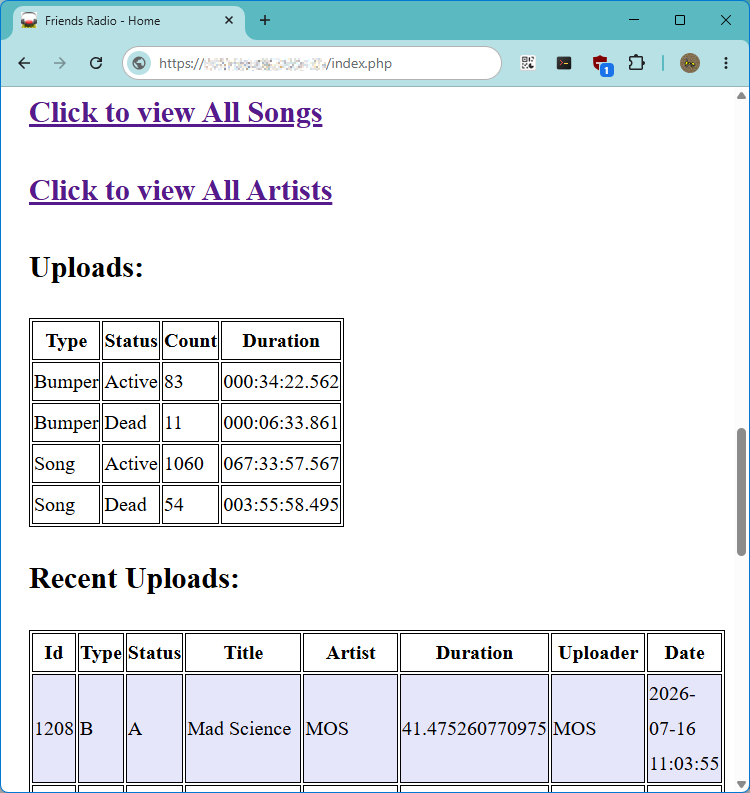
I also use Nginx to proxy the Icecast stream over SSL, which makes it embeddable in a web-based “player” page, but also gives SSL to listeners behind restrictive company firewalls. It is not officially recommended to do this – however, I found that not only does this work just fine, it also fixes the “two seconds timeout” problem people were having with a direct-to-Icecast SSL setup. People can still use the direct HTTP stream for older devices or lower CPU if they want.
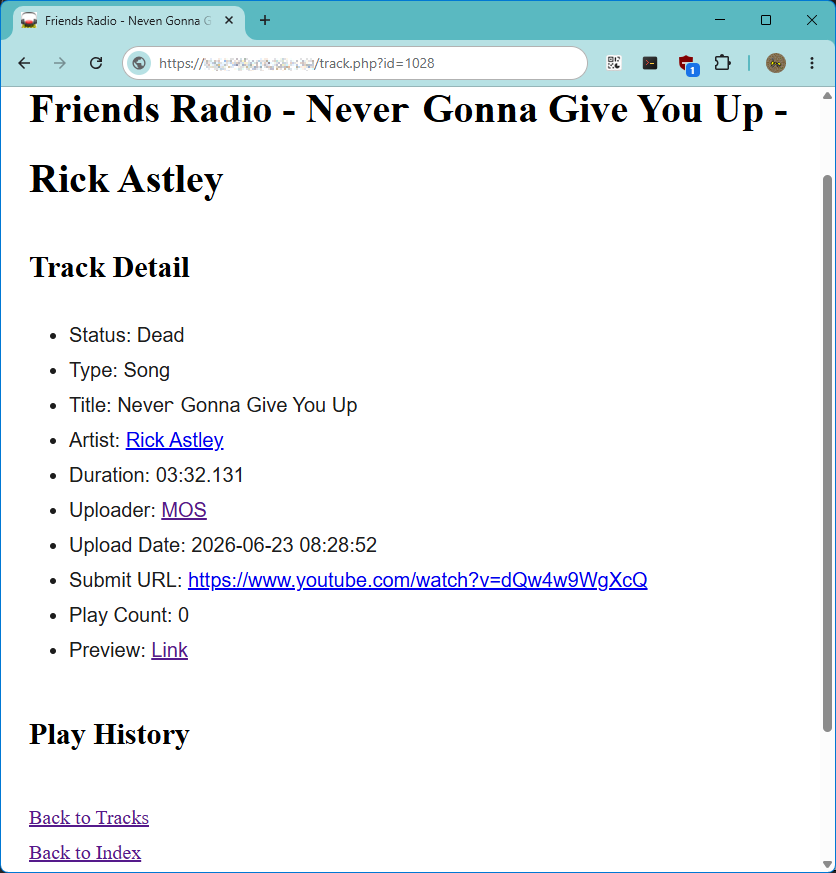
I may share these PHP scripts later, or not – I didn’t really plan this to be trivially reproducible, nor do I really want to support them for random Internet strangers. When someone has a feature request they just suggest it to me and I go login and use vi to patch it into place. I’m not really a web guy, so this is probably the weakest part (idk if it even looks right on mobile?) and the aesthetic is charitably described as “charming, web 1.0”. There is only a tiny sprinkling of Javascript – one to check if someone’s about to upload a duplicate track on title + artist, and another on the web player that keeps the currently playing metadata visible on the player page.
Tweaks
As mentioned earlier, there are two distinct needs here: streaming is low-CPU, high-priority, whereas transcoding is high-CPU, low-priority. This is an ideal time to make use of the Linux scheduler’s nice priority settings! I found that setting Icecast and streamer.php to -20 in their respective systemd config:
[Service]
Nice=-20
while transcoder.php is instead +19, prevents the streamer from dropping out no matter how much load is happening to the transcoder. The only issue left is, I have not looked into whether nginx (or php) can be nicer on just uploads: sometimes a really big file upload can eat all Nginx’s time and starve other users – or worse, drop their proxied player. It does recover but I may look for some way to indicate “these pages are low prio” so that people can’t interfere with one another’s listening on the web by uploading huge files.
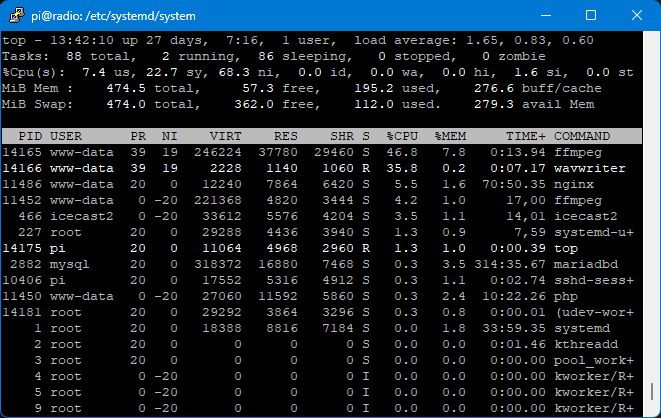
The default mysql-server install uses far too much RAM for the system and database size. Use mysqltuner.pl to shut off pointless features (networking + SSL + performance schema + replication), turn down the max connections to ~10, disable all ARIA table stuff, reduce InnoDB buffer size, and enable the query cache – it helps on single-threaded machines.
There are a few other occasional system scripts running in the background: a Porkbun DNS updater (but see the PRs! it’s broken without them!), and another which keeps my SSL certificate up-to-date. There is unattended-upgrades, but it appears to be broken on RPi, because I never actually see it updating anything (and apt upgrade gives me like 50 packages whenever I remember to run it)
Speaking of RPi OS, I did choose the latest headless Server version, but unfortunately it still comes with a pile of additional packages I don’t want. Some people don’t mind this – “it’s just used disk space” – but in this case it’s actually much worse: the useless packages continue to get upgrades, which is slooooow on this old computer! Some of them are not only useless now (gpio toggling for Python) but are useless always, as in “why do I need kernel packages and initrd building for the ARMv8 64-bit?” I’ve done an apt purge on the most obvious offenders, but really really wish there was a truly Minimal RPi OS, with nothing except the kernel and package manager and truly required pkgs (firmware, ntpd, sshd…) from which I could manually install everything from scratch, instead of having to trim the fat of a new install.
I do know it is possible to overclock the CPU to 1ghz, but I have not done this. As it stands, this thing gets power from the USB port on router it’s also networked with, and only goes down if the house loses power along with the Internet. It is, really, just a Device that I can rely on and otherwise forget about entirely. Mission accomplished.

Conclusion
A friend pointed me to a 2020 article by Robin Sloan, titled “An app can be a home-cooked meal” – the author had written a “social media” type photo/video-sharing app… but only distributes it directly to family, with only exactly the features they want, and no ambitions of growing it further.
I am the programming equivalent of a home cook.
The exhortation “learn to code” has its foundations in market value. “Learn to code” is suggested as a way up, a way out. “Learn to code” offers economic leverage, professional transformation. “Learn to code” goes on your resume.
But let’s substitute a different phrase: “learn to cook”. People don’t only learn to cook so they can become chefs. Some do! But many more people learn to cook so they can eat better, or more affordably. Because they want to carry on a tradition. Sometimes they learn because they’re bored! Or even because they enjoy spending time with the person who’s teaching them.
The list of reasons to “learn to cook” overflows, and only a handful have anything to do with the marketplace. Cooking reaches beyond buying and selling to touch nearly all of human experience. It connects to domesticity and curiosity; to history and culture; to care and love.
I think the food comparison is apt: there’s something about sitting down to a meal with loved ones, sharing stories, memories, jokes and laughter… The radio setup has given us all a focal point for interaction – I wrote and host it of course, but it definitely wouldn’t be what it is without the contributions of everyone who’s listening and uploading their favorites to create this distinct offbeat blend of music. And the bumpers are especially fun – people upload commercials, show clips, skits, fake news reports and studio events – my friends are soooo funny, y’all.
A week or two after I set this up, I was browsing around GitHub, and found someone concurrently doing a similar “Family Radio” type thing – only they’re vibe coding it all, and it uses Docker, and some Cloud VM install, and React, and and and and –
But here in my corner, with my friends, I’m quite happy to hand-craft something unique and special, which we can all share and enjoy together, and blissfully ignore all the other complications of the modern tech industry hellscape.